










Fade Master 3D: Barber Shop


Installs
10M+Category
StylizedContent Rating
Everyone
Screenshots
Editor Reviews
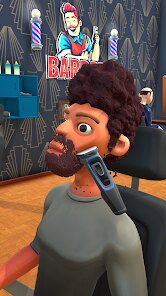
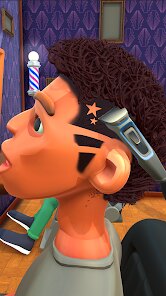
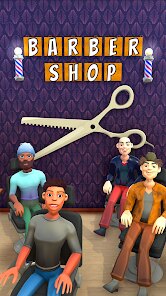
In the bustling world of mobile gaming, SciPlay Games Turkey Yazılım Geliştirme A.Ş. has carved out a niche with its engaging simulation titles, and 'Fade Master 3D: Barber Shop' is a prime example of their accessible, pick-up-and-play design philosophy. This game falls squarely into the popular 3D simulation and time-management genre, tasking players with running a successful barbershop. The audio design is functional, with satisfying snipping sounds and cheerful customer chimes, while the 3D art style is bright, colorful, and cartoonish, making the various hairstyles and shop upgrades visually appealing without demanding high-end device performance.
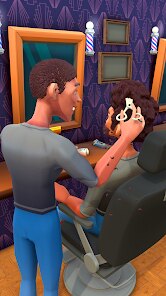
The premise is straightforward: you are a barber building a clientele from a simple street stall to a multi-chair salon empire. There's no deep narrative arc; the 'storyline' is your progression through increasingly demanding customers and more elaborate shop decor. The core gameplay loop is satisfyingly tactile. You must carefully follow outline guides to cut, shave, dye, and style hair, with special techniques like using the razor for precise fades or the spray for vibrant color jobs adding a layer of skill. Managing customer patience while queuing multiple clients introduces a light strategic element to the otherwise zen activity of virtual grooming.
Overall, 'Fade Master 3D' is a competently made and addictive time-waster. Its strengths lie in its simple controls, progressive reward system, and the innate satisfaction of transforming a messy mop into a sharp style. However, the game is not without its flaws. Gameplay can become repetitive over long sessions, the ad-supported model can be intrusive, and some may find the customer AI to be unrealistically impatient. For fans of casual sims, it's a solid, entertaining download that perfectly fills short breaks, even if it doesn't reinvent the clippers.
How to play?
✂️ Step 1: Start Your Shop. Launch the game and you'll begin with a basic street barber station. Your first client will arrive automatically. Tap on them to seat them in your chair and begin the job.
👁️ Step 2: Analyze the Request. A thought bubble above the customer's head shows their desired hairstyle. Examine it closely, noting the required tools—clippers, razor, dye, or comb—and the specific areas that need work.
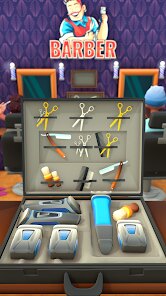
🛠️ Step 3: Select Your Tool. Use the toolbar at the bottom of the screen to choose the correct instrument. Start with the clippers for bulk cutting, following the on-screen glowing outline precisely to avoid mistakes.
🎨 Step 4: Refine and Color. Switch to the razor for clean fades, sideburns, and beard detailing. For color jobs, select the dye spray and hold your finger on the marked sections until they match the target hue. Use the comb to style the final look.
⏳ Step 5: Manage the Queue. As you gain popularity, multiple customers will wait. Keep an eye on their patience meters (the hearts above their heads). Strategically tap waiting customers to keep them happy, balancing your current cut with queue management.
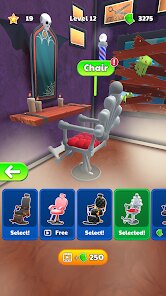
💰 Step 6: Collect and Upgrade. After a successful haircut, collect your cash and tips. Tap the 'Upgrade' button to invest in better tools, new barber chairs, or shop decorations. Upgrades reduce service time, increase customer patience, and unlock new hairstyle options.
🏆 Step 7: Expand and Master. Complete levels to unlock new, more challenging shop locations. Your goal is to master every tool, satisfy every customer type, and expand your barbershop into a five-star franchise. Remember, speed and accuracy are key to maximizing your earnings and progression!
Download Apk File
Recommend Games









Disclaimer
1 . Ohican does not represent any developer, nor is it the developer of any App or game.
2 . Ohican provide screenshots, historical version Apk, links and other information, which we collected from Google Play. We will also add our own reviews to provide users with more information to choose.
3 . All trademarks, registered trademarks, brand names and company names or logos appearing on the site are the property of their respective owners.
4 . Ohican abides by the federal Digital Millennium Copyright Act (DMCA) by responding to notices of alleged infringement that complies with the DMCA and other applicable laws.
5 . We guarantee the security of apk files downloaded from our site and also provide the official download link at Google Play Store and App Store.
6 . If you are the owner or copyright representative and want to delete your information, please contact us contact@ohican.com.
7 . All the information on this website is strictly observed all the terms and conditions of Google Ads Advertising policies and Google Unwanted Software policy.