







Palette Girl - Dress Up Games


Installs
100K+Category
CasualContent Rating
Everyone
Screenshots
Editor Reviews
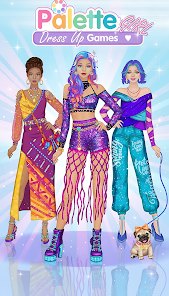
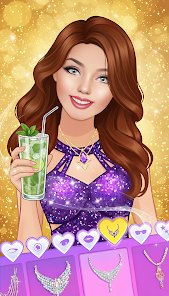
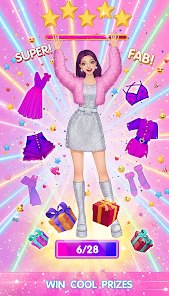
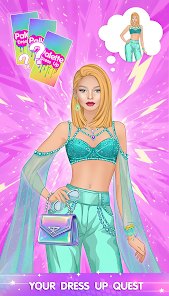
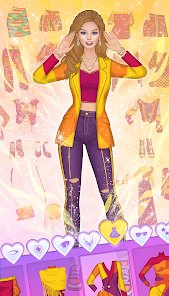
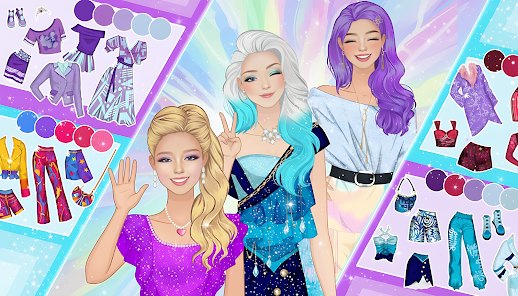
Teenage Fashion Dress Up, a relatively obscure mobile developer, is behind Palette Girl - Dress Up Games, a casual fashion simulation that targets a very specific audience: players who enjoy creative styling without the pressure of complex mechanics. The game falls squarely into the dress-up genre, but it attempts to carve a niche with a watercolor-inspired art style that mimics painting on a canvas rather than simply tapping through pre-made outfits. The soundtrack is gentle and unobtrusive, mostly soft piano loops and ambient chimes that complement the calm, creative mood. Visually, the game shines in its palette selection: you mix colors like a painter, and each garment or accessory takes on the hue you blend. That is a clever twist on the usual drag-and-drop dress-up formula. The storyline is minimal, framed as a young artist discovering her style through a magical sketchbook, but it serves more as a loose wrapper for the core loop. Special techniques include layering translucent fabrics to create new shades and using a "color lock" feature to keep certain parts of an outfit fixed while experimenting elsewhere. The overall experience is soothing and surprisingly addictive for short sessions. However, the lack of narrative depth and occasional ad interruptions after every third dress-up break the immersion. The art is charming but not highly detailed, and the limited wardrobe options compared to premium competitors become noticeable after a few hours. Still, for a free-to-play title from a small studio, Palette Girl offers a genuinely refreshing take on a saturated genre. It is not a game for players seeking challenge or story, but for anyone who finds joy in color mixing and quiet customization, it delivers a satisfying, almost meditative pastime.
How to play?
Step1: Download Palette Girl - Dress Up Games from your app store and launch it. Skip the tutorial only if you already understand color mixing, otherwise tap through the guided first canvas to learn the basic brush controls. 🎨
Step2: Select a model base from the three available body types and skin tones. Do not worry about choosing perfectly; you can change this later without losing progress. 🧍
Step3: Open the wardrobe tab and pick a primary garment, such as a dress or shirt. Drag it onto the model, then tap the color wheel to mix a base hue using the three primary sliders. 🎛️
Step4: Use the "color lock" icon on any completed part of the outfit. This prevents accidental recoloring when you experiment with other layers. It is essential for complex, multi-piece looks. 🔒
Step5: Add accessories like hats, shoes, or jewelry. For translucent items, adjust the opacity slider to blend them with the underlying fabric, creating unique gradients. 💎
Step6: Save your design to the sketchbook gallery. You can name it and revisit it later. To share, tap the export button, but expect a short ad before the image saves to your device. 📤
Step7: Repeat the cycle with a new canvas. To improve efficiency, pre-mix three or four favorite colors in the palette slots before starting a fresh outfit. This cuts down on repetitive slider dragging. 🔁
Download Apk File
Recommend Games






Disclaimer
1 . Ohican does not represent any developer, nor is it the developer of any App or game.
2 . Ohican provide screenshots, historical version Apk, links and other information, which we collected from Google Play. We will also add our own reviews to provide users with more information to choose.
3 . All trademarks, registered trademarks, brand names and company names or logos appearing on the site are the property of their respective owners.
4 . Ohican abides by the federal Digital Millennium Copyright Act (DMCA) by responding to notices of alleged infringement that complies with the DMCA and other applicable laws.
5 . We guarantee the security of apk files downloaded from our site and also provide the official download link at Google Play Store and App Store.
6 . If you are the owner or copyright representative and want to delete your information, please contact us contact@ohican.com.
7 . All the information on this website is strictly observed all the terms and conditions of Google Ads Advertising policies and Google Unwanted Software policy.