









DIY Coloring: Pixel Art Number


Installs
500K+Category
PuzzleContent Rating
Everyone
Screenshots


Editor Reviews
Emerging from the creative minds behind DIY Paper Doll Dress Up Games, DIY Coloring: Pixel Art Number offers a relaxing and accessible entry point into the world of digital art. This casual puzzle game masterfully blends the therapeutic joy of coloring with the structured satisfaction of paint-by-numbers, all wrapped in a charming pixel art aesthetic. While the development studio may not be a household name, their focus on simple, engaging casual experiences is evident in this title's straightforward and polished presentation.
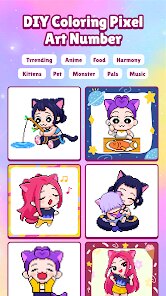
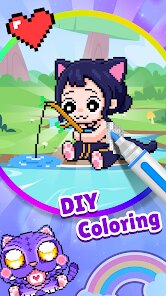
The core gameplay loop is intuitive and deeply satisfying. Players are presented with a grid-based canvas where each pixel is marked with a number corresponding to a specific color. The sound design is minimalist, featuring soft, positive chimes as you fill in each section, enhancing the meditative and rewarding feel. The pixel art style is bright, clean, and varied, featuring a wide array of images from adorable animals and delicious food to intricate mandalas and scenic landscapes. There is no overarching narrative; the story here is the one you create visually, piece by peaceful piece, making it a perfect digital escape.
While the game excels in its core promise of relaxation, it does have some limitations. The gameplay can become repetitive over long sessions, and the color palette, though extensive, follows a predetermined scheme for each image, offering little room for creative deviation. Some players might find the lack of a free-draw mode or more complex shading tools a missed opportunity for deeper artistic expression. Nevertheless, for its intended purpose—a stress-free, mind-soothing activity—it succeeds admirably. It's a wonderfully uncomplicated game that turns your screen into a digital coloring book, providing a perfect few minutes of calm in a busy day.
How to play?
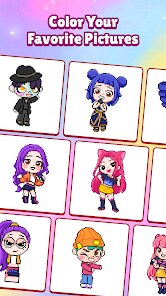
🎨 Step 1: Launch the game and from the main gallery, select an image you'd like to color. You can browse categories like Animals, Food, or Patterns to find your perfect canvas.
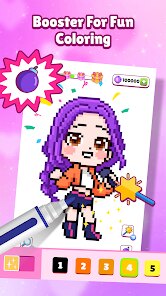
🔢 Step 2: Examine the canvas. You'll see a pixelated outline filled with small numbers. Locate the color palette on the side of the screen; each color has a corresponding number.
🖱️ Step 3: Tap or click on a color from the palette to select it. Your selected color will be highlighted, and your cursor will now apply that specific hue.
🧩 Step 4: Start filling! Tap or click on any pixel marked with the number matching your selected color. Watch as the section begins to fill in automatically, transforming the monochrome numbers into vibrant art.
⚡ Step 5: Use the 'Fill All' button (often a paint bucket icon) for efficiency. With a color selected, tapping this will instantly fill every pixel of that number on the canvas, perfect for large, uniform areas.
↩️ Step 6: Made a mistake? Don't worry. Use the eraser tool to remove color from specific pixels, or the 'Undo' button to step back your last action. You're always in control.
🏆 Step 7: Once every numbered pixel is filled, the image will be complete! Enjoy the satisfying reveal, save your artwork to your device's gallery, and share your creation or move on to your next relaxing project.
Popular Articles

How to Download Games on Google Play for the First Time
For many Android users, downloading a game from Google Play feels simple and automatic. But if you have never used an Android phone before, or if you are switching from another platform, the process can feel confusing at first.36789
What Is an APK File for Android? Everything You Need to Know
By Alvin Sandberg38533
Do Free Robux Generators Work?
By Amy Wire36719
Robux Pricing Guide (2026 Update): How Much Robux Really Costs
By Amy Wire39654
How to Avoid Scams in Roblox
By Amy Wire39946
Rarest Pets in Adopt Me! (2026 Update)
By Scott Malone39743
Disclaimer
1 . Ohican does not represent any developer, nor is it the developer of any App or game.
2 . Ohican provide screenshots, historical version Apk, links and other information, which we collected from Google Play. We will also add our own reviews to provide users with more information to choose.
3 . All trademarks, registered trademarks, product names and company names or logos appearing on the site are the property of their respective owners.
4 . Ohican abides by the federal Digital Millennium Copyright Act (DMCA) by responding to notices of alleged infringement that complies with the DMCA and other applicable laws.
5 . We guarantee the security of apk files downloaded from our site and also provide the official download link at Google Play Store and App Store.
6 . If you are the owner or copyright representative and want to delete your information, please contact us contact@ohican.com.
7 . All the information on this website is strictly observed all the terms and conditions of Google Ads Advertising policies and Google Unwanted Software policy.