





DIY Pixel Art Idea ASMR


Installs
5M+Category
OfflineContent Rating
Everyone
Screenshots
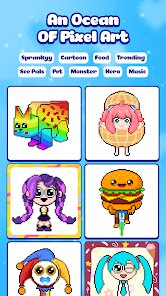
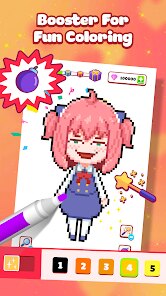
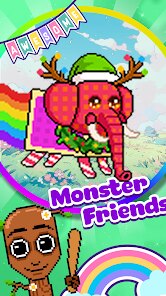
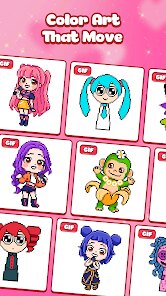

Editor Reviews
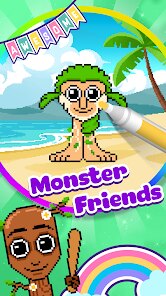
Crafted by the imaginative minds at NEXCOSMO, a studio known for its niche, sensory-focused mobile experiences, DIY Pixel Art Idea ASMR occupies a unique space at the intersection of casual creativity and auditory relaxation. This isn't a game in the traditional, goal-oriented sense but rather a digital sandbox and idea generator designed to soothe and inspire. The core loop involves selecting a pixel art canvas and using a simple, intuitive interface to place colorful blocks, with the primary feedback being the deeply satisfying auditory and visual responses.
The game's sound design is its standout feature, delivering quintessential ASMR through crisp, tactile clicks and soft thuds with every block placement and deletion. Paired with a muted, pastel color palette and clean UI, the audiovisual presentation is meticulously crafted to induce calm. There is no narrative to speak of; the 'story' is the one you create on the grid, guided by a library of pixel art ideas ranging from cute animals to abstract patterns. These serve as gentle prompts rather than strict tutorials, perfectly aligning with the game's open-ended philosophy.
While the core mechanics are elegantly simple, the special charm lies in the meditative, almost hypnotic state it cultivates. The act of filling a grid becomes a rhythmic, stress-relieving activity. However, the experience's longevity can feel limited. The 'null' descriptor in its official title hints at this, as the toolset, while pleasant, is basic. There are no layers, complex brushes, or ways to export creations beyond screenshots, which may leave more ambitious pixel artists wanting. As a digital zen garden for momentary unwind and sparking simple creative joy, it excels, but it remains a lightweight companion rather than a deep creative suite.
How to play?
🛋️ Step 1: Settle into a quiet space and launch the app. The minimalist home screen presents you with a 'New Canvas' option and a gallery of 'Ideas'. Start by tapping 'New Canvas' to choose your grid size; a smaller 16x16 is great for beginners.
🎨 Step 2: Familiarize yourself with the interface. Your color palette is at the bottom, and your drawing tools (pixel pen, eraser, fill bucket) are typically on the side. Tap a color to select it.
👆 Step 3: Begin creating! Simply tap on any square on the grid to place a pixel of your selected color. Focus on the satisfying 'click' sound and the visual pop of color. There's no rush—this is about the process.
💡 Step 4: If you need inspiration, pause your canvas and tap the 'Ideas' tab. Browse categories like 'Food' or 'Animals', select a design, and use it as a reference guide to recreate on your own blank grid.
🧼 Step 5: Made a mistake? Tap the eraser tool and then tap the misplaced pixel to remove it. The soft 'thud' sound is equally satisfying. Use the fill bucket tool to color large sections with a single tap.
🌀 Step 6: Embrace the ASMR aspect. Use headphones for the best experience. Try creating repetitive patterns or slowly filling an area to enjoy the rhythmic, calming soundscape you generate.
💾 Step 7: When finished, save your work by using your device's screenshot function. You can clear the canvas to start a new project or revisit your saved image gallery to admire your growing collection of pixelated relaxation.
Download the App
Popular Articles

How to Download Games on Google Play for the First Time
For many Android users, downloading a game from Google Play feels simple and automatic. But if you have never used an Android phone before, or if you are switching from another platform, the process can feel confusing at first.35587
What Is an APK File for Android? Everything You Need to Know
By Alvin Sandberg39564
Do Free Robux Generators Work?
By Amy Wire39121
Robux Pricing Guide (2026 Update): How Much Robux Really Costs
By Amy Wire36718
How to Avoid Scams in Roblox
By Amy Wire39679
Rarest Pets in Adopt Me! (2026 Update)
By Scott Malone33516
Disclaimer
1 . Ohican does not represent any developer, nor is it the developer of any App or game.
2 . Ohican provide screenshots, historical version Apk, links and other information, which we collected from Google Play. We will also add our own reviews to provide users with more information to choose.
3 . All trademarks, registered trademarks, product names and company names or logos appearing on the site are the property of their respective owners.
4 . Ohican abides by the federal Digital Millennium Copyright Act (DMCA) by responding to notices of alleged infringement that complies with the DMCA and other applicable laws.
5 . We guarantee the security of apk files downloaded from our site and also provide the official download link at Google Play Store and App Store.
6 . If you are the owner or copyright representative and want to delete your information, please contact us contact@ohican.com.
7 . All the information on this website is strictly observed all the terms and conditions of Google Ads Advertising policies and Google Unwanted Software policy.