


AR Draw Sketch - Trace & Paint

Installs
5K+Category
Art & DesignContent Rating
Everyone
Screenshots
Editor Reviews
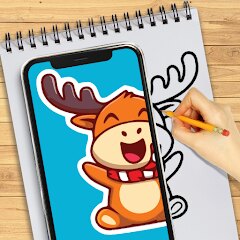
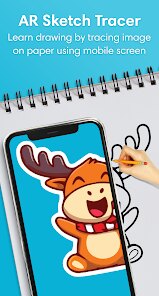
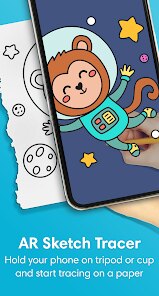
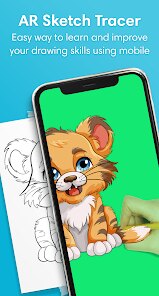
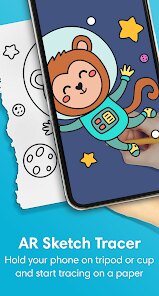
MØ Studios, a relatively small but ambitious developer, has carved a niche in the mobile creativity space with their app AR Draw Sketch - Trace & Paint. This title blends the tactile joy of drawing with the futuristic potential of augmented reality, positioning itself as a tool rather than a traditional game. The core concept leverages your device's camera to overlay an image onto the drawing surface, effectively turning any flat surface into a lightbox for tracing. The sound effects are minimal and functional, providing subtle haptic feedback when you select brushes or colors, which keeps the focus on the visual task at hand. Artistically, the app shines with a clean, accessible interface that prioritizes functionality over clutter, offering a palette of tools like brushes, pencils, and an eraser, but no predefined story, as the narrative is entirely user-created.
What sets AR Draw Sketch apart is its clever use of ARKit and ARCore, allowing you to project the reference image directly onto the paper in real-time, which is a game-changer for beginners struggling with proportion. This technique bypasses the common frustration of transferring digital references to physical media. However, the execution is not flawless. The app's AR tracking can be jittery in low-light conditions, and the free version is heavily ad-supported, which interrupts the creative flow. Despite these hiccups, the core loop is satisfying: you select a reference from the built-in library or import your own, adjust the opacity on the camera feed, and trace away. It democratizes art by lowering the barrier to entry, making it feel more like a guided workshop than a test of raw skill.
Your overall evaluation hinges on your goals. If you are a casual doodler looking to improve your linework or a parent trying to engage a child in screen-free creativity with a tech twist, this app delivers admirably. The lack of a compelling narrative is irrelevant because the story is your picture. For seasoned artists, the limitations—such as a finite brush set and no layer support—might chafe, but the AR functionality is a genuinely novel tool for blocking out compositions quickly. The app's greatest strength is its simplicity, but its weakness is the same: it doesn't push boundaries beyond tracing. It is a utility, not a masterpiece, but a well-crafted one that fulfills its promise of making drawing approachable for anyone with a smartphone. Just be prepared for subscription prompts to unlock the full library.
How to play?
Step1 🎨 Open the app and tap "Start Drawing." Grant camera permissions when prompted, as this is essential for the AR tracing to work.
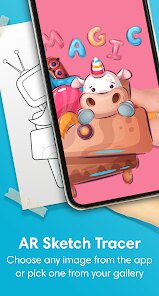
Step2 📸 Choose your subject: tap the gallery icon to select a photo from your device, or browse the app's built-in library of animals, landscapes, and objects for a pre-made reference.
Step3 🔍 Adjust the reference image: use pinch-to-zoom and drag to position it over your blank paper. Ensure your phone is stable on a stand or propped against a object to prevent shaky lines.
Step4 🌐 Activate the AR mode by toggling the "AR On" button. The app will overlay the reference image onto the camera feed. Move your phone over the paper, and the image should align, allowing you to see the contours clearly.
Step5 🖌️ Select a brush from the bottom toolbar (e.g., pencil for fine lines, paintbrush for fills). Adjust the size and opacity using the slider. The app's interface displays your physical drawing in real-time with the virtual reference on top.
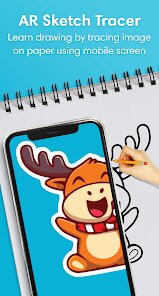
Step6 ✍️ Start tracing: follow the outlines of the projected image. Use your finger or a capacitive stylus. Do not worry about mistakes; the eraser tool (undo icon) will fix any stray lines. Keep your phone steady to avoid drifting.
Step7 📁 Capture your final artwork: tap the camera icon to save a photo of your sketch as a digital file. Share it to social media or export it as a PNG to your gallery. Pat yourself on the back for creating something new!
Download the App
Recommend Games






Disclaimer
1 . Ohican does not represent any developer, nor is it the developer of any App or game.
2 . Ohican provide screenshots, historical version Apk, links and other information, which we collected from Google Play. We will also add our own reviews to provide users with more information to choose.
3 . All trademarks, registered trademarks, brand names and company names or logos appearing on the site are the property of their respective owners.
4 . Ohican abides by the federal Digital Millennium Copyright Act (DMCA) by responding to notices of alleged infringement that complies with the DMCA and other applicable laws.
5 . We guarantee the security of apk files downloaded from our site and also provide the official download link at Google Play Store and App Store.
6 . If you are the owner or copyright representative and want to delete your information, please contact us contact@ohican.com.
7 . All the information on this website is strictly observed all the terms and conditions of Google Ads Advertising policies and Google Unwanted Software policy.