




Bike Stunts Games: Bike Racing


Installs
10M+Category
OfflineContent Rating
Everyone
Screenshots
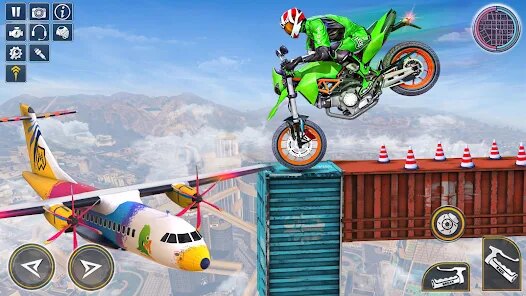
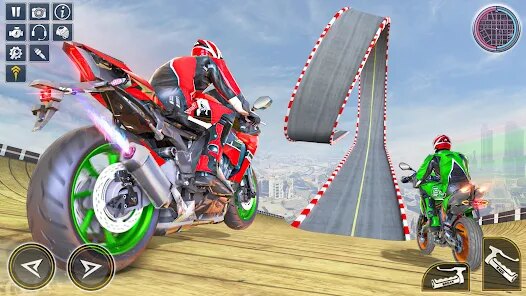
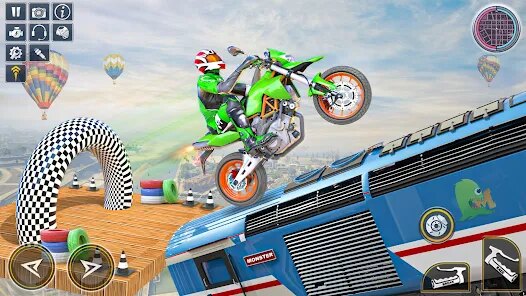
Editor Reviews
Developed by the Australian studio Monster Games Productions PTY LTD, a team with a notable history in arcade-style racing titles, Bike Stunts Games: Bike Racing carves out its niche in the mobile gaming landscape as a high-octane, stunt-focused racing experience. This game masterfully blends the thrill of high-speed motorcycle racing with the acrobatic spectacle of performing gravity-defying tricks, creating a gameplay loop that is both accessible and deeply engaging for fans of action sports games.
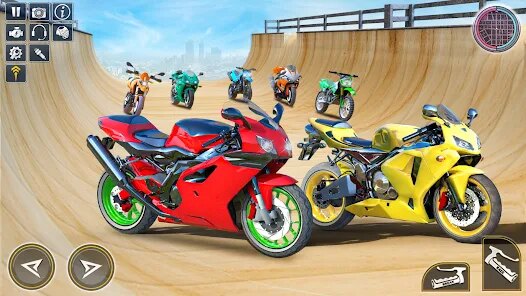
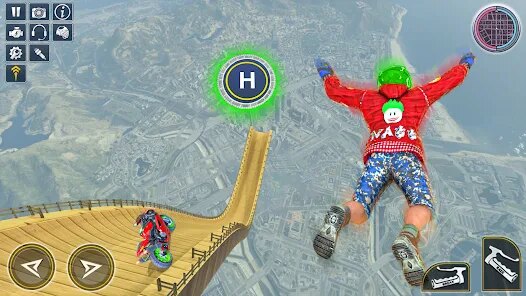
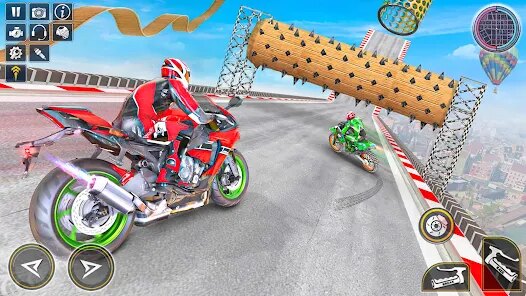
The game's audio-visual presentation is a key component of its energetic appeal. The art style is vibrant and exaggerated, with colorful, stylized tracks set in diverse locales from neon-lit cityscapes to rugged mountain passes. The bike models and rider animations are fluid, making every jump, flip, and crash visually dynamic. Sound design complements this perfectly, with the roaring engine notes, the screech of tires, and satisfying crunch of landings (or crashes) creating an immersive sensory experience that keeps players locked into the action.
While the narrative takes a backseat to pure gameplay, the premise is straightforward: rise through the ranks as a stunt rider, conquering increasingly challenging courses and competitions. The core gameplay revolves around mastering timing and balance. The real skill lies in knowing when to accelerate for a massive jump, how to tilt your device to control mid-air rotations for complex tricks, and the precise moment to land smoothly to maintain speed. Special techniques include linking multiple tricks in a single jump for combo multipliers and using nitro boosts strategically to clear impossible gaps. However, the game's physics can occasionally feel inconsistent, and some progression walls may feel overly reliant on in-game currency or repeated attempts. Despite these minor frustrations, the game delivers a potent, adrenaline-fueled package. Its simple controls belie a surprising depth of skill-based play, making it an excellent pick-up-and-play title that offers genuine challenge and spectacle.
How to play?
🚀 Step 1: Download and launch the game from your app store. Complete the brief tutorial, which will teach you the basic controls: tilt your device left/right to steer, tap the right side of the screen to accelerate, and the left side to brake or reverse.
🎯 Step 2: Start with the initial 'Easy' tracks. Focus purely on finishing the race without worrying about stunts. Learn the track layout, the placement of ramps, and get a feel for your bike's speed and handling.
🤸 Step 3: Once comfortable with navigation, attempt your first stunts. Approach a ramp at full speed. While airborne, swipe up or down on the screen with one finger to perform frontflips or backflips. A smooth landing is crucial, so try to complete rotations before touching down.
⚡ Step 4: Master the nitro boost. Fill your nitro meter by performing successful tricks and landing smoothly. Tap the nitro button when it's glowing to get a massive speed burst. Use it on long straightaways or to reach higher ramps.
🔄 Step 5: Learn combo tricks. In mid-air after your first flip, quickly swipe in another direction (e.g., left or right) to add a barrel roll to your flip, creating a combo trick like a 'Corkscrew.' Combos significantly boost your trick score and fill your nitro meter faster.
🏆 Step 6: Focus on objectives. Each level has specific goals, like achieving a target score, finishing in the top 3, or performing a certain number of tricks. Prioritize these to earn maximum stars and coins, which are essential for unlocking new bikes and tracks.
🔧 Step 7: Upgrade and customize. Use earned coins to visit the garage. Upgrade your bike's engine, nitro, and handling stats to improve performance. Experiment with different bikes, as some are better for stunts while others excel at pure speed, and tailor your choice to each track's challenges.
Download the App
Popular Articles

How to Download Games on Google Play for the First Time
For many Android users, downloading a game from Google Play feels simple and automatic. But if you have never used an Android phone before, or if you are switching from another platform, the process can feel confusing at first.35600
What Is an APK File for Android? Everything You Need to Know
By Alvin Sandberg33829
Do Free Robux Generators Work?
By Amy Wire32946
Robux Pricing Guide (2026 Update): How Much Robux Really Costs
By Amy Wire37657
How to Avoid Scams in Roblox
By Amy Wire38937
Rarest Pets in Adopt Me! (2026 Update)
By Scott Malone34645
Disclaimer
1 . Ohican does not represent any developer, nor is it the developer of any App or game.
2 . Ohican provide screenshots, historical version Apk, links and other information, which we collected from Google Play. We will also add our own reviews to provide users with more information to choose.
3 . All trademarks, registered trademarks, product names and company names or logos appearing on the site are the property of their respective owners.
4 . Ohican abides by the federal Digital Millennium Copyright Act (DMCA) by responding to notices of alleged infringement that complies with the DMCA and other applicable laws.
5 . We guarantee the security of apk files downloaded from our site and also provide the official download link at Google Play Store and App Store.
6 . If you are the owner or copyright representative and want to delete your information, please contact us contact@ohican.com.
7 . All the information on this website is strictly observed all the terms and conditions of Google Ads Advertising policies and Google Unwanted Software policy.